Some pages come with a date attached.
A delivery that should arrive by Friday. A trial that starts charging on the 14th. A return window closing at the end of the month. Deadline Drawer saves the page and the date together, in one action, so the obligation never loses the page it came from.
Saved pages stay on your device. No account, no telemetry.
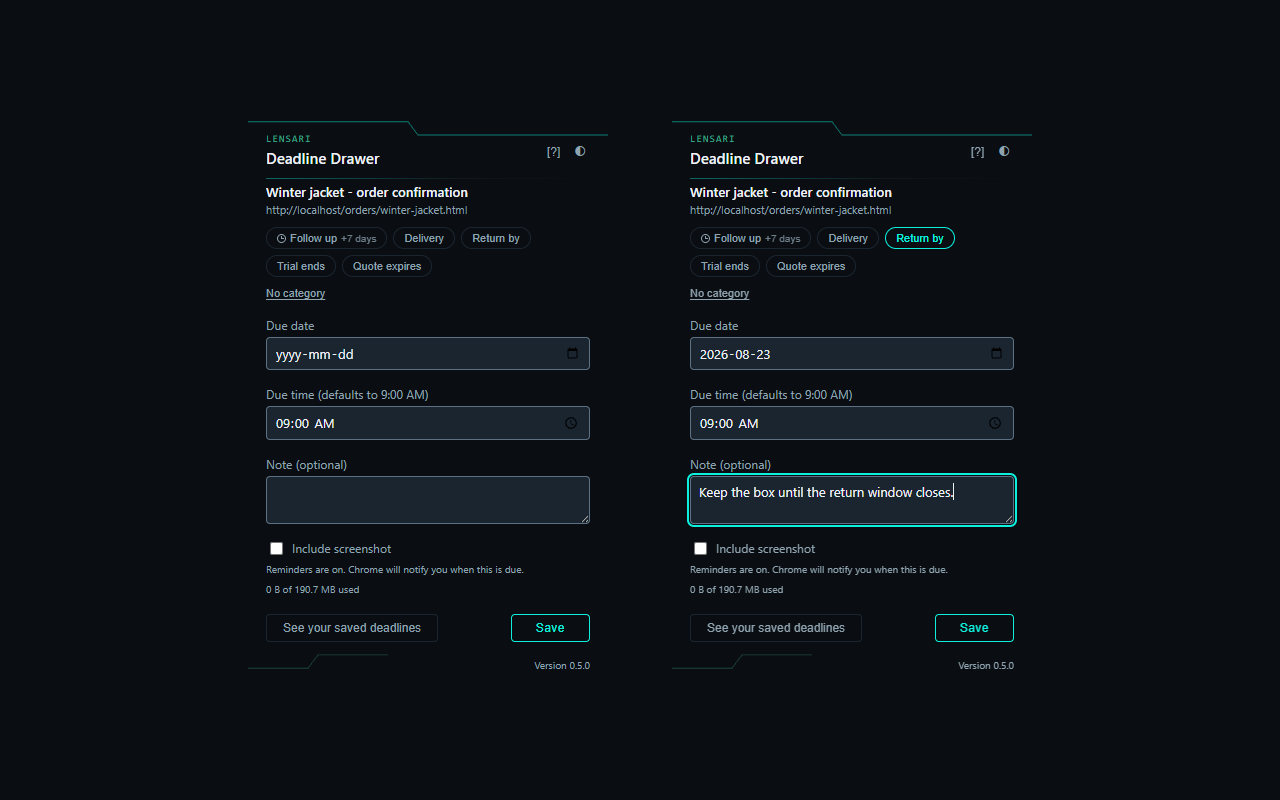
What Deadline Drawer does for you
The page and the date, saved together
Click the icon on any ordinary page. The title and address are already filled in. Add the date it is due and save.
A reminder that still knows the page
When the date arrives you get a notification naming the item, and clicking it opens that record: the title, the date, your note, and the address you saved.
An optional screenshot
Off unless you switch it on for that save, and shown to you before anything is stored. Weeks later, a picture of what you were looking at is usually what jogs your memory.
A list that stays the things that matter
Filter by status or category, reschedule, rename, mark done or drop. Finished items archive themselves once their date has passed.
From an open page to a date you will not miss
Click the icon on the page
The title and address of that tab are filled in for you. Nothing to copy or paste.
Enter the date it is due
The time defaults to 9:00 AM and you can change it. The date field starts empty on purpose, and a save with no date is refused rather than given a deadline you never chose.
Add a category or a note, if you want one
Both are optional. Only Follow up fills in a date, seven days out, which you can then edit.
Get told when the date arrives
The toolbar icon shows a count and Chrome shows a notification naming the item. Clicking it opens that record.
Categories say what it is, not when it is
A category is optional and it labels the record. Four of the five set the category only. They do not guess a date, because the date is one you know and the extension does not.
The one exception: it fills the date in as seven days from today, which you can then edit.
Category only. You supply the date.
Category only. You supply the date.
Category only. You supply the date.
Category only. You supply the date.
For when you would rather not tag the record at all.
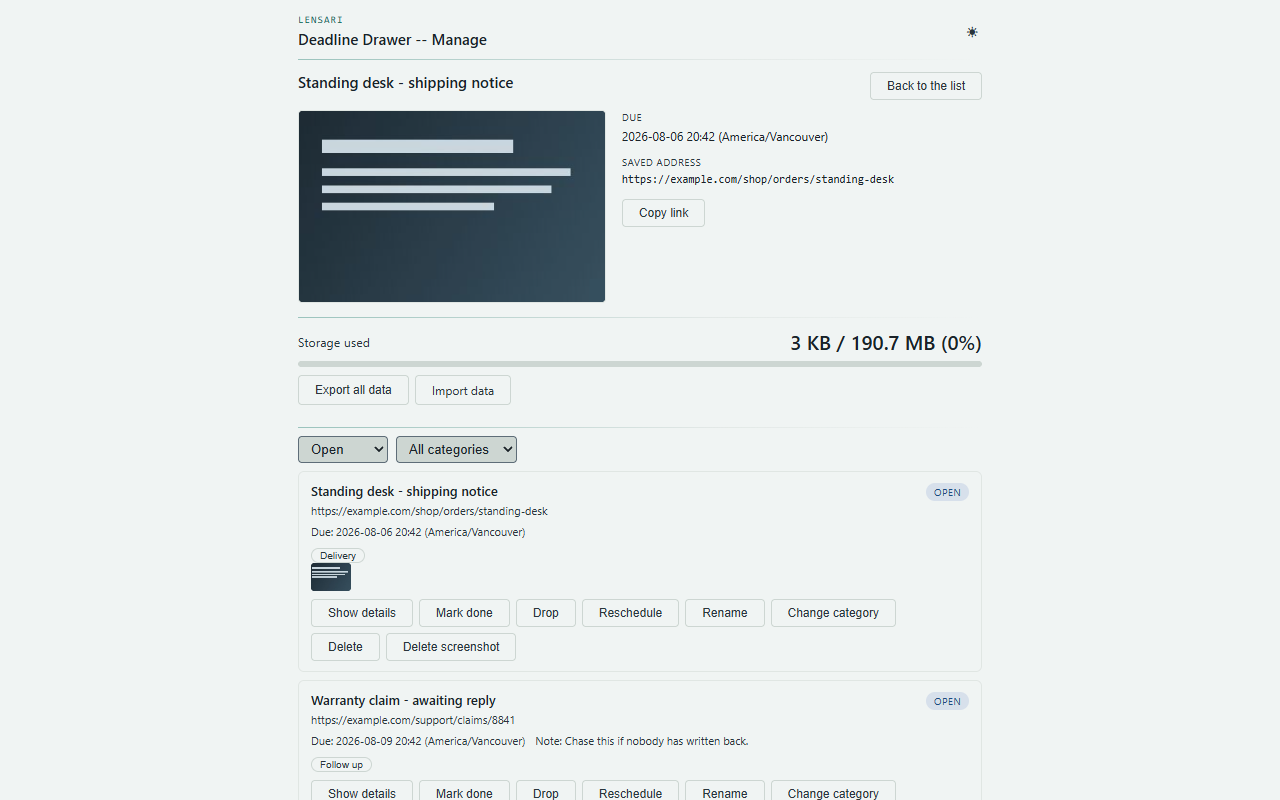
Saved pages stay on your device
Records, dates, notes, screenshots and history are held in local browser storage on this machine.
No premium tier, no ads, no data monetization
Remembering what you already decided to do shouldn't cost money.
- Unlimited saved deadlines
- Reminders, categories, notes and screenshots
- Filtering, rescheduling and archiving
- No account, nothing ever sent to us
Save the page with the date. Be told when it arrives.
Free on the Chrome Web Store. No account needed. Software that respects your attention.
Add to ChromeDeadline Drawer reminds you on this machine while Chrome is running. It is a memory aid for dates you already know, not a guarantee that a deadline will be met. Privacy policy.