Know your real numbers. File with confidence.
Poshmark Profit + Tax turns your own official Poshmark Sales Report into the numbers that actually matter: real net profit per item, month to date, and a year-end 1099-K reconciliation you can copy straight onto a Schedule C.
Local-first. Your financial data stays on your device.
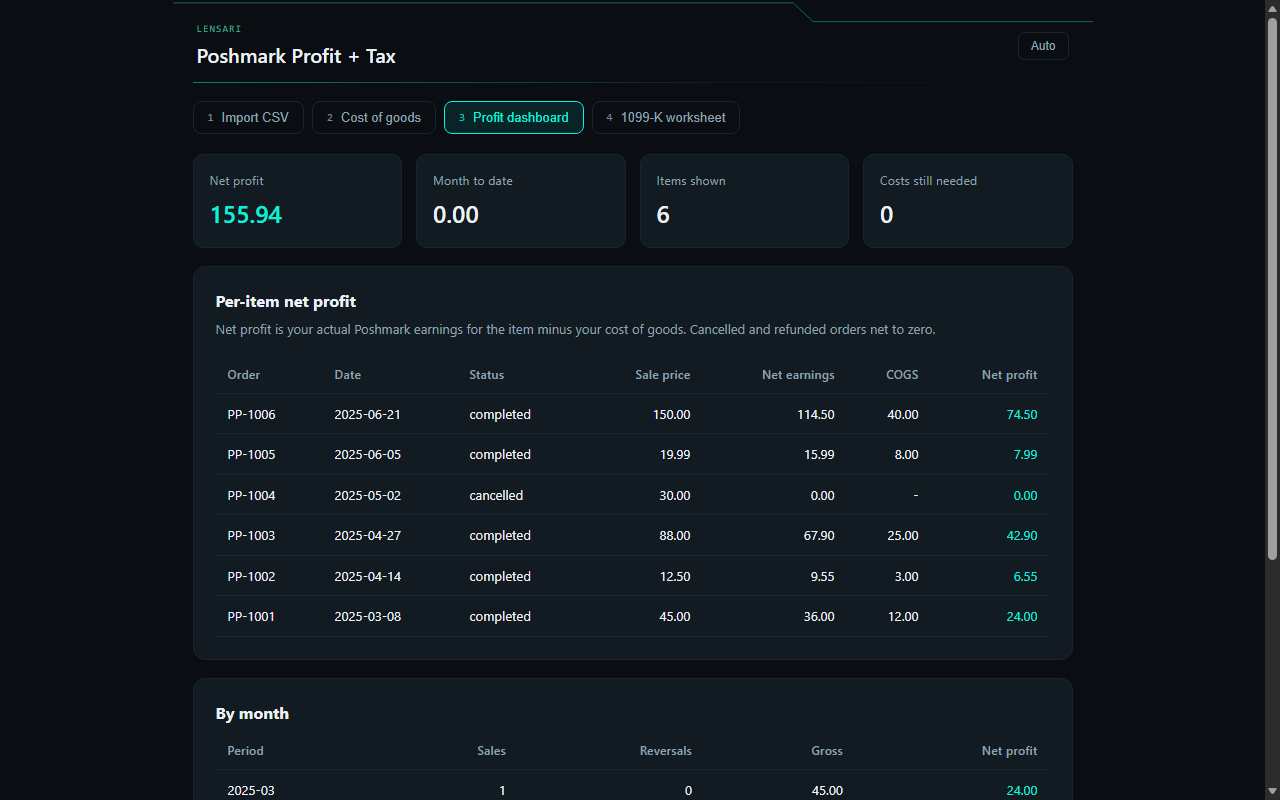
The numbers that actually matter
Real net profit, per item
Your actual Poshmark earnings for each item minus your cost of goods. Cancelled and refunded orders net to zero.
Month to date, every month
See per-item net profit, month to date, and monthly totals the moment your report is imported.
A Schedule C you can copy
At tax time, enter your 1099-K Box 1a gross and get a copy-paste-ready Schedule C worksheet.
Parsed on your device
You upload a report you downloaded yourself. Zero automated collection, no tracking, nothing sold.
Built to be honest
It refuses to hand you a filing-ready number it cannot reconcile. Every row must check out and your records must tie out to your 1099-K gross to the cent. If something is off, it shows a clear draft exception report and helps you resolve it, instead of quietly producing a wrong number.
Ties out to the cent
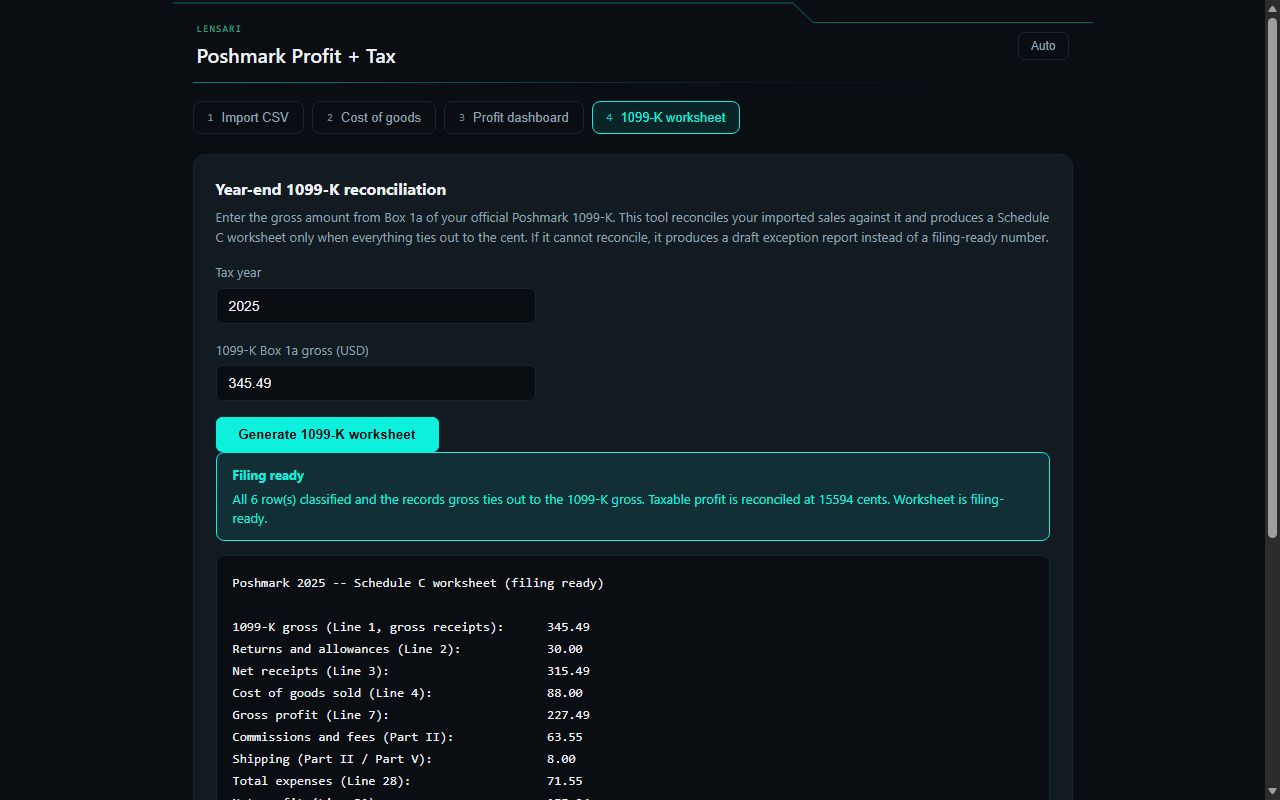
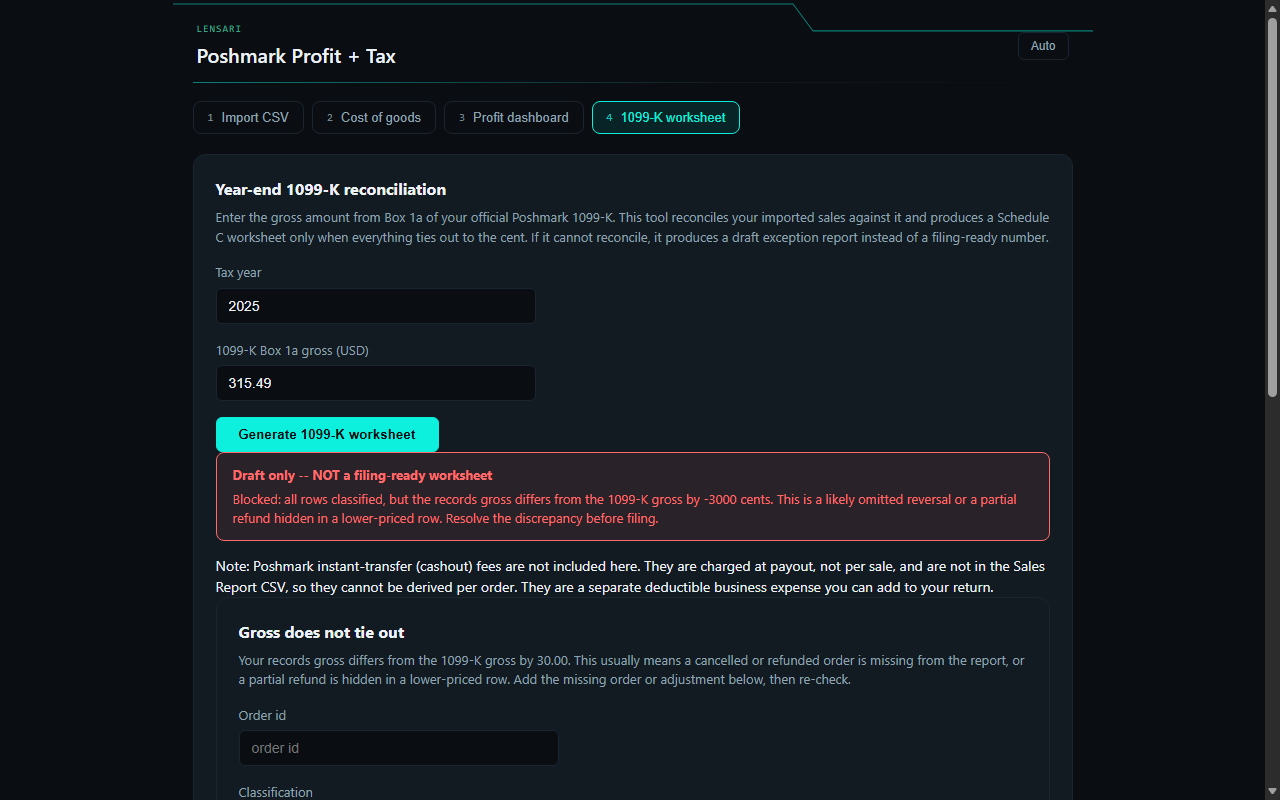
From sales report to reconciled numbers
Download your Sales Report
From Poshmark: Account, My Seller Tools, My Sales Report. Email yourself the CSV.
Upload the CSV into the extension
It is parsed on your device. Nothing is sent anywhere.
Enter your cost of goods per item
One tap each. It is saved and reused on the next import.
See your real profit
Per-item net profit, month to date, and monthly totals.
Reconcile at tax time
Enter your 1099-K Box 1a gross and get a copy-paste-ready Schedule C worksheet.
Your financial data stays on your device
There is zero automated collection from Poshmark: you upload a report you downloaded yourself.
No tiers, no banners, no interruptions
Every feature is included. There is nothing to upgrade to.
- Your complete sales history and per-item profit
- Month-to-date and monthly totals
- The year-end 1099-K and Schedule C worksheet
- Cost of goods, saved and reused
- Local-first parsing, on device, with no network requests
Your numbers, reconciled to the cent.
Free on the Chrome Web Store. Every feature included.
This tool helps you organize your own records. It is not tax advice. Always verify against your official Poshmark documents before filing.