Know what you're agreeing to.
Fine Print scans Terms of Service, Privacy Policies, EULAs, and Cookie Policies for the clauses that matter, then shows what it finds as plain-English bullet points. Click any finding to jump to the exact paragraph, highlighted on the page.
Works entirely offline. No accounts, no tracking, no telemetry.
What Fine Print does for you
A severity summary in seconds
Scan a document and see at a glance how many warnings, cautions, and informational items were found.
Plain English, one line per concern
Findings read as a short bullet-point list in clear, non-legal language. No jargon to decode.
Click to highlight the clause
Click any bullet to scroll to the relevant paragraph, highlighted in a color matching its severity.
Entirely offline
The pattern library ships inside the extension. No data leaves your browser, and it works with no connection at all.
The scan happens on your device
Fine Print carries its detection rules inside the extension: a built-in library of 15 concern categories, holding 115 detection patterns, across three severity levels. When you scan, the page text is checked against that library right in the tab. Nothing is uploaded, because there is nowhere to upload it to.
- Mandatory arbitration and class action waivers
- Sale or broad sharing of your personal data
- Perpetual, irrevocable licenses over your content
- Terms that can change at any time without notice
- Account termination without cause or refund
- Auto-renewal and recurring billing
- Data retention after account deletion
- Third-party tracking and behavioral advertising
- Sweeping liability disclaimers
- Rights to change pricing at any time
- Cookie usage
- Collection of sensitive data: location, device, biometrics
- Age restrictions and parental consent requirements
- Governing law and jurisdiction
- Data breach notification commitments
We scanned ten major platforms and published everything we found
Amazon, Apple, Discord, Google, Meta, Microsoft, Netflix, Reddit, Spotify and TikTok. Every finding is listed with its severity and the exact clause it came from, one page per company, so you can judge the scanner on its actual output rather than on our description of it.
Each report also records where Fine Print got it wrong. In the audits' own words: "We publish our errors because transparency about accuracy matters more than a perfect score."
From open document to highlighted clause
Open a legal document
Navigate to any Terms of Service, Privacy Policy, EULA, Cookie Policy, or User Agreement.
Click the Fine Print icon
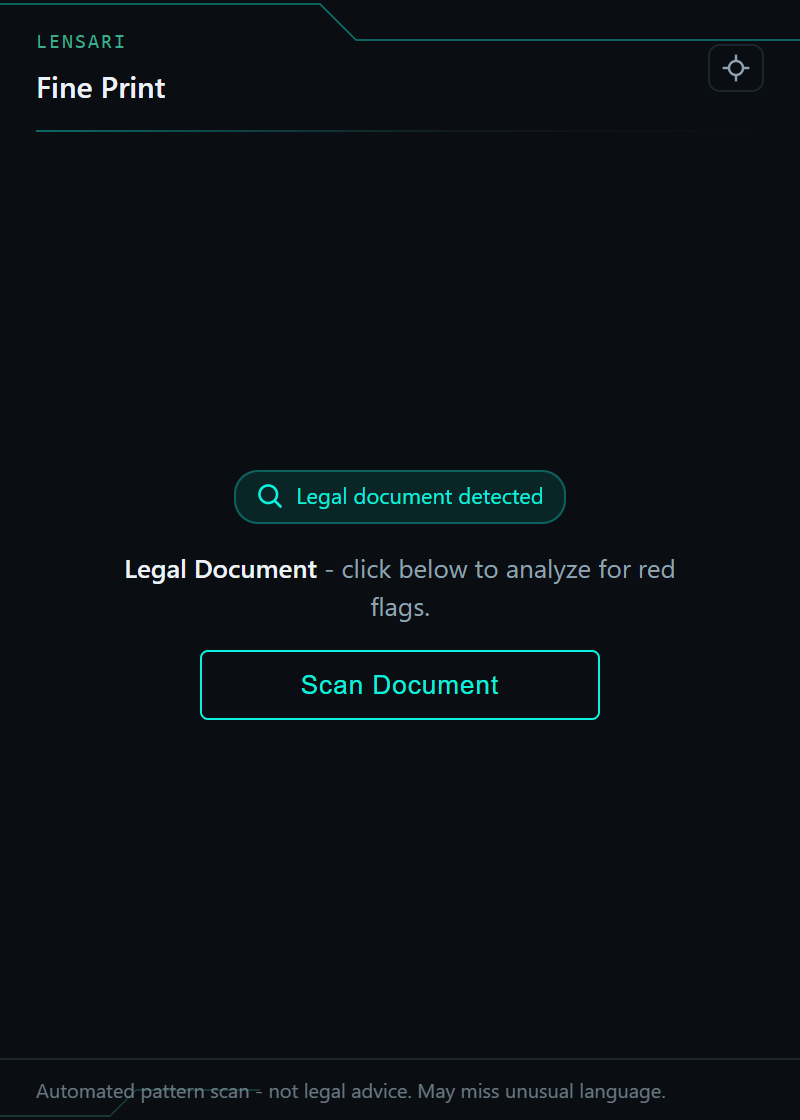
It recognizes legal pages on its own and tells you when a document is ready to scan.
Click Scan Document
In seconds you get a severity summary and a bullet-point list, one line per concern.
Click any finding
Jump straight to the relevant paragraph, highlighted in a color matching its severity.
Fine Print works entirely offline
No data leaves your browser.
No premium tier, no ads, no data monetization
Understanding what you agree to shouldn't cost money.
- The full pattern library, all 15 concern categories
- Unlimited scans, no limits
- Click-to-highlight navigation
- No account, nothing ever sent to us
Read the fine print without the 30 pages.
Free on the Chrome Web Store. No account needed. Software that respects your attention.
Add to ChromeFine Print is an automated pattern scanner, not a legal tool. It may miss unusual or jurisdiction-specific language. Always consult a qualified attorney for important legal decisions.